
Many businesses communicate with customers through repetitive emails: welcoming new subscribers, sharing useful resources, following up after inquiries, and sending updates.
Sending every message manually can become difficult as a business grows.
Email marketing automation helps solve this problem by using predefined triggers, conditions, and workflows to send selected messages automatically.
When configured carefully, automation can make communication more consistent and help businesses deliver relevant information at useful moments.
However, automation is not simply about sending more emails. The goal is to create a helpful experience that respects subscriber expectations and supports a clear business objective.
What Is Email Marketing Automation?
Email marketing automation is the use of software and predefined rules to send email messages automatically in response to particular events, conditions, or schedules.
For example, a person who subscribes to a newsletter might receive a welcome email. A subscriber who selects SEO as an interest might receive relevant educational content.
Depending on the platform, automation can use triggers such as form submissions, purchases, contact updates, or other supported events.
The exact features available depend on your email service and plan.
How Does Email Automation Work?
A typical automated workflow contains several elements.
1. Trigger
The trigger is the event that starts the workflow.
Examples include:
- A person subscribes to a newsletter.
- A customer completes a purchase.
- A subscriber selects a content preference.
- A lead submits an inquiry form.
2. Conditions
Conditions determine whether a person should continue through a particular path.
For example, a workflow might send different content to subscribers who selected different newsletter topics.
Use conditions that are relevant, accurate, and appropriate for the information you collect.
3. Actions
Actions are the tasks performed by the workflow.
These might include sending an email, applying a tag, updating a contact field, or waiting for a defined period before the next message.
4. Timing
Timing controls when messages are sent.
A welcome email may be sent shortly after a confirmed subscription, while an educational sequence may deliver additional lessons at spaced intervals.
Timing should reflect the purpose of the communication and subscriber expectations.
5. Measurement
Once the workflow is active, review its performance.
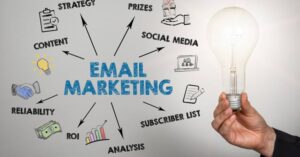
Depending on the workflow, useful metrics may include delivery, clicks, conversions, unsubscribes, complaints, and the quality of leads generated.
Five Useful Email Automation Workflows
Workflow 1: Welcome Email Sequence
A welcome sequence introduces your business to new subscribers.
A simple example might include:
Email 1 — Welcome and Expectations
Thank subscribers for joining, explain what they will receive, and provide a useful starting resource.
Email 2 — Educational Content
Share a practical guide or article relevant to their interests.
Email 3 — Helpful Next Step
Introduce another relevant resource, service, or product where appropriate.
Do not make every email promotional. A welcome sequence should help subscribers understand the value of staying connected.
Workflow 2: Lead Nurturing Sequence
Lead nurturing involves sharing relevant information with potential customers as they evaluate their options.
For example, a digital marketing agency might create a sequence for people who request a guide about Google Ads.
The workflow could include:
- Delivering the requested guide.
- Explaining common campaign setup mistakes.
- Sharing an educational case example, if accurate and authorized.
- Introducing the agency’s relevant services.
- Inviting the subscriber to request a consultation.
The sequence should reflect the subscriber’s interests and should not assume that every lead is ready to buy.
Workflow 3: Educational Email Course
An email course delivers a series of lessons over a defined period.
A digital marketing website might create a five-part beginner course covering:
- Digital marketing fundamentals.
- SEO basics.
- Meta Ads fundamentals.
- Google Ads campaign structure.
- Email marketing essentials.
Each email should focus on a manageable lesson and, where appropriate, link to a more detailed article.
This workflow can support learning while introducing subscribers to your website’s content.
Workflow 4: Post-Purchase Emails
Online stores may use automation to send relevant communications after a purchase.
Depending on the business and applicable requirements, these might include order confirmations, product instructions, support resources, or appropriate follow-up information.
Keep essential transactional messages distinct from promotional communications where required. Do not assume that a purchase automatically provides permission for every type of marketing email.
Workflow 5: Re-Engagement Emails
Some subscribers may stop interacting with your content over time.
A re-engagement workflow can provide an opportunity to ask whether they still want to receive updates or allow them to adjust their preferences.
For example, you might send a concise message highlighting your latest useful resources and providing a clear option to remain subscribed or unsubscribe.
Avoid repeatedly emailing unresponsive contacts indefinitely. Use appropriate suppression and list-management practices.
How to Create an Email Automation Workflow
Follow this practical process to create your first workflow.
Step 1: Define One Objective
Choose a clear purpose, such as welcoming new subscribers, delivering a requested resource, or nurturing leads.
A workflow with one defined objective is easier to design and measure.
Step 2: Choose the Right Trigger
Select the event that should start the workflow.
For a newsletter welcome sequence, the trigger might be a confirmed subscription.
Check how your platform handles unsubscribed contacts, repeat form submissions, duplicate events, and re-entry into workflows.
Step 3: Map the Subscriber Journey
Write down the messages you intend to send and the purpose of each one.
For example:
- First email: Welcome.
- Second email: Share an educational resource.
- Third email: Offer a related next step.
Make sure each message adds something useful instead of repeating the same sales pitch.
Step 4: Write and Design the Emails
Create clear subject lines and useful content.
Use a recognizable sender name, readable formatting, relevant links, and an appropriate CTA.
Check that the messages work on mobile devices and that all links lead to the correct pages.
Step 5: Configure Conditions and Timing
Set any required waits, conditions, or branching rules.
For example, subscribers who choose SEO content could receive an SEO article sequence, while subscribers interested in paid advertising could receive a different set of resources.
Make sure the logic reflects the information subscribers have actually provided or that you can appropriately use.
Step 6: Test the Workflow
Before activating the workflow, test it with suitable test contacts.
Check that:
- The correct trigger starts the workflow.
- Messages are sent in the intended order.
- Timing works as expected.
- Links and forms function properly.
- Unsubscribed contacts are excluded appropriately.
- Subscribers do not receive duplicate messages unexpectedly.
- Conversion tracking and reporting work where configured.
Testing is particularly important for workflows that include purchases, customer records, or multiple conditions.
Step 7: Monitor and Improve
Once the workflow is running, review its performance.
Look at meaningful outcomes, not just opens. A welcome sequence might be evaluated through clicks to important resources, while a lead nurturing sequence may be assessed through qualified inquiries.
Update the workflow when the content, business offer, or subscriber needs change.
Common Email Automation Mistakes
Automating Too Much Too Soon
Start with a simple workflow before creating a complicated system with many branches.
Sending Irrelevant Messages
Automation should improve relevance, not remove the need for judgment.
Ignoring Unsubscribes and Complaints
Respect subscriber choices and use appropriate suppression practices.
Failing to Test
A broken link or incorrect trigger can affect many subscribers before the problem is noticed.
Forgetting to Update Content
Review automated messages periodically to remove outdated information, expired offers, and broken links.
Measuring Only Opens
Use clicks, conversions, complaints, unsubscribes, and other relevant indicators to evaluate the complete workflow.
Conclusion
Email marketing automation helps businesses send timely, relevant messages without manually managing every interaction.
Start with a clear objective, select an appropriate trigger, create useful content, test the workflow, and monitor its results.
A simple, well-maintained automation can be more effective than a complicated sequence that sends messages without considering the subscriber’s needs.